7 Best HIPAA-Compliant Scheduling Software Options in 2026

Booking a patient appointment sounds simple until you realize most scheduling tools were never built to touch protected health information. Tools like Calendly or Google Calendar can leak names, diagnoses, or contact details if you're not careful, and a single mistake can trigger a breach report. That's why finding hipaa-compliant scheduling software matters more than picking the flashiest calendar app on the market.
If you're comparing options right now, you want straight answers: which platforms sign a Business Associate Agreement, which ones actually encrypt patient data end to end, and whether a free hipaa compliant scheduling software option exists without hidden compliance gaps. This guide answers exactly that.
Below, we break down seven scheduling tools that meet HIPAA requirements, from lightweight free tiers to enterprise-grade platforms built for busy clinics, DME providers, and home health agencies. We'll cover pricing, security features, and how well each one fits into a broader patient data workflow, especially if you're already connecting apps to EHRs and need scheduling that plays nicely with the rest of your stack.
1. Cal.com
Cal.com started as an open-source alternative to Calendly, and it's grown into a genuinely flexible scheduling platform that developers and clinics both like. What sets it apart from most names on this list is the option to self-host, which appeals to healthcare IT teams that want full control over where patient booking data physically lives.
Key features
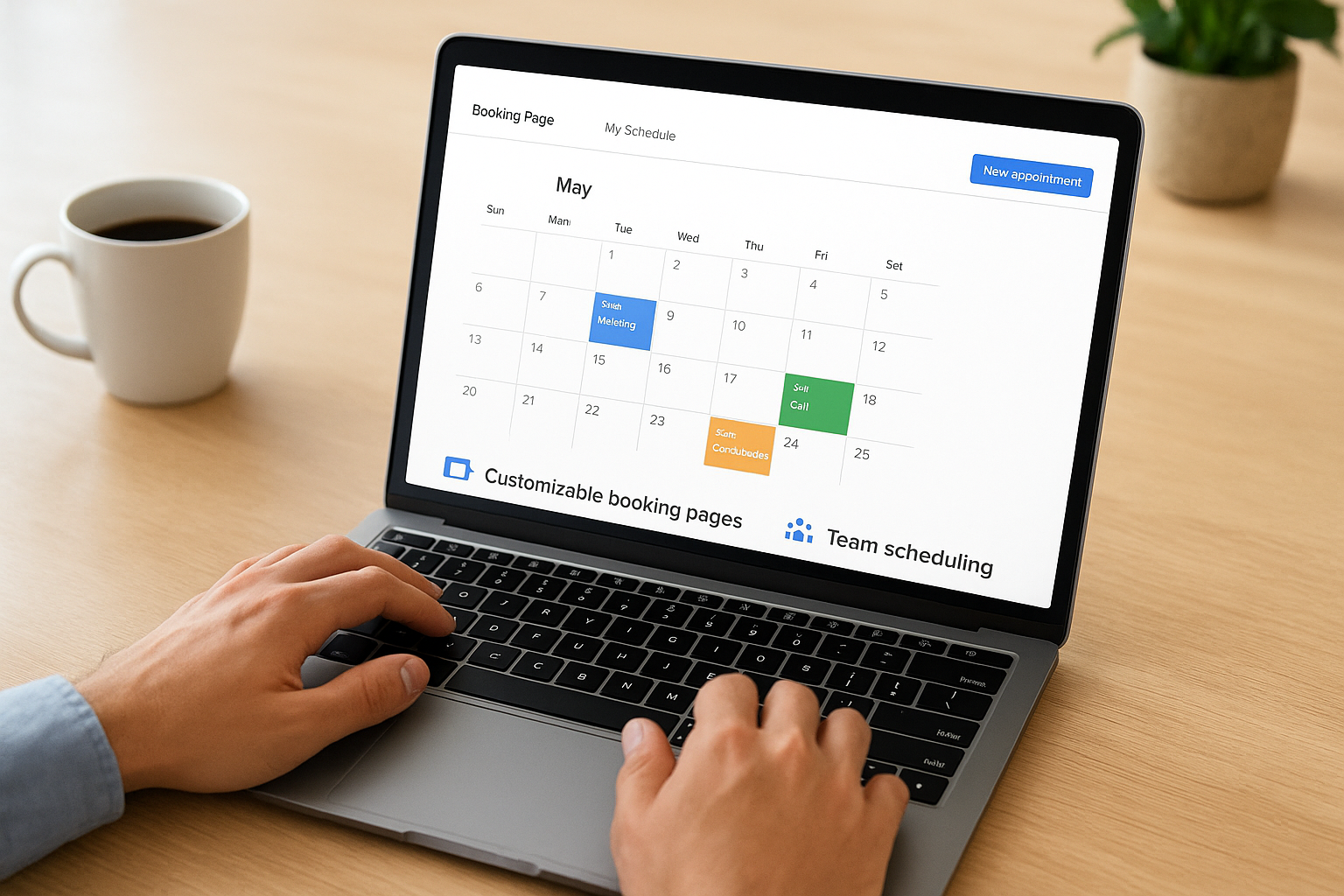
Cal.com gives you customizable booking pages, team scheduling, round-robin routing for multi-provider practices, and an API that developers can build directly into a patient portal or intake flow. You also get workflow automation for reminders and confirmations, timezone handling for telehealth across state lines, and embeddable booking widgets you can drop into an existing website without much front-end work. Custom booking pages and a genuinely open API are the two things that separate Cal.com from simpler consumer schedulers.
HIPAA compliance
HIPAA support isn't baked into every tier. Cal.com offers a signed Business Associate Agreement only on its Enterprise plan, and that's the tier you need if you're storing or transmitting protected health information through the tool. The self-hosted version gives you another path: run it on your own HIPAA-eligible infrastructure, such as AWS with a signed BAA from Amazon, and you control encryption, access logging, and data residency yourself. That flexibility is powerful, but it also means the compliance burden shifts to your team if you go the self-hosted route instead of paying for managed Enterprise support.
A scheduling tool is only as HIPAA-compliant as the plan tier and BAA you actually have signed, not the plan you assume covers you.
Integrations
Cal.com connects with Google Calendar, Outlook, Zoom, Stripe, and a long list of automation tools through Zapier and its own API. For healthcare teams, the API access matters most: it lets you sync appointment data with an EHR-connected app or patient record system instead of leaving scheduling as an isolated silo. If your practice already pulls data through a unified FHIR API for clinical records, a scheduling layer with open API access is far easier to wire into that same workflow than a closed platform.
Pricing and who it's for
| Plan | Price | HIPAA/BAA Included |
|---|---|---|
| Free | $0 | No |
| Teams | ~$15/user/month | No |
| Enterprise | Custom pricing | Yes |
The free and Teams tiers are fine for internal staff scheduling that never touches patient data, but they won't cover you for anything clinical. Cal.com fits best for tech-forward practices and health tech companies with developers on staff who can either configure the Enterprise BAA setup or manage a self-hosted, HIPAA-eligible deployment. If your team doesn't have that technical bandwidth, the setup overhead may outweigh the flexibility it offers.
2. SimplePractice
SimplePractice takes a different approach than Cal.com. Instead of a general-purpose scheduler you bolt compliance onto, it's built from the ground up as practice management software for behavioral health, physical therapy, and wellness providers. If you run a solo or small group practice and want scheduling bundled with clinical documentation, this is the tool most of your peers are already using.
Key features
SimplePractice bundles online booking with a full client portal, so patients can request appointments, fill out intake forms, and message you without leaving one system. You also get automated appointment reminders by text and email, a built-in telehealth platform, and clinical notes tied directly to each scheduled session. Integrated intake forms and a client portal are the two features that push it beyond a pure calendar tool into something closer to a lightweight EHR for solo practitioners.
HIPAA compliance
Unlike Cal.com, HIPAA compliance isn't gated behind an enterprise tier here. SimplePractice signs a Business Associate Agreement with every paying subscriber, and the platform is built specifically for licensed clinicians handling protected health information. Data is encrypted in transit and at rest, and the client portal requires secure authentication before anyone can view scheduling or clinical details.
When compliance is the product's whole reason for existing, you don't have to hunt for the right plan tier to get a BAA.
Integrations
SimplePractice connects with Google Calendar and Apple Calendar for two-way sync, plus payment processors like Stripe for collecting copays at booking. It also links to insurance clearinghouses for claims, which matters if you bill payers directly rather than running a cash-pay practice.
Pricing and who it's for
Plans start around $29/month for solo practitioners and scale up with group practice features and additional clinicians. This hipaa compliant appointment scheduling software option suits therapists, counselors, and small wellness practices that want scheduling and clinical notes in one place, not developers looking to build custom booking flows into a larger application.
3. NexHealth
NexHealth targets a different problem than the first two tools. Instead of a standalone booking calendar, it's a synchronization engine that connects patient scheduling directly to whatever practice management system or EHR you already run, think Dentrix, Eaglesoft, or Epic. If your bottleneck is patients booking online but staff still re-entering everything into your PMS by hand, NexHealth exists to kill that double entry.
Key features
NexHealth gives you real-time, two-way sync between online booking and your existing practice management system, so an appointment booked on your website shows up instantly in the same system your front desk already uses. You also get a patient-facing booking widget, automated waitlist management that fills last-minute cancellations, and a unified patient communication layer for reminders and forms. The real-time PMS sync is the feature that separates NexHealth from generic schedulers, since most tools treat your PMS as an afterthought rather than the system of record.
HIPAA compliance
NexHealth signs a Business Associate Agreement with covered entities, and its infrastructure is built specifically around syncing protected health information between systems, not just booking a time slot. Data in transit between the booking widget, NexHealth's platform, and your practice management system is encrypted, and access is scoped so patient records stay tied to the right provider and location.
A scheduling tool that syncs with your PMS in real time removes the manual re-entry step where most HIPAA slip-ups actually happen.
Integrations
NexHealth's whole value proposition is integration depth rather than breadth. It connects natively with major dental and medical practice management systems, including Dentrix, Eaglesoft, Open Dental, and Epic, plus payment processing and patient communication tools layered on top.
Pricing and who it's for
NexHealth doesn't publish flat pricing; you'll need to request a quote based on practice size and which PMS you're syncing with. This appointment scheduling software hipaa compliant pick fits multi-location dental and medical practices already committed to a specific PMS, not solo practitioners or developers wanting a lightweight, standalone booking page.
4. Acuity Scheduling
Acuity Scheduling, now owned by Squarespace, is the tool most small practices already know from outside healthcare, and that familiarity is exactly why it shows up on so many shortlists. Owners who already run a Squarespace website appreciate how quickly they can drop a booking page into an existing site without hiring a developer.
Key features
Acuity handles self-service booking with real-time availability, automated email and text reminders, intake forms collected before the appointment, and class or group scheduling for practices running sessions rather than one-on-one visits. Custom booking pages and timezone detection make it easy to serve patients across state lines for telehealth. The class and group scheduling option is worth noting since most competitors on this list assume every appointment is one provider and one patient.
HIPAA compliance
Acuity offers a signed Business Associate Agreement, but only on its Powerhouse plan, its top pricing tier. Lower tiers don't include the BAA, so picking Acuity for a clinical practice means budgeting for the full plan from day one, not upgrading later once you realize compliance was never included.
Cheap scheduling software stops being cheap the moment you need a BAA and discover it only ships on the top-tier plan.
Integrations
Acuity connects with Google Calendar, Outlook, Zoom, Stripe, Square, and QuickBooks, plus a wide range of apps through Zapier. That breadth suits solo providers who need scheduling, payments, and video visits working together without custom development.
Pricing and who it's for
| Plan | Price | BAA Included |
|---|---|---|
| Emerging | $16/month | No |
| Growing | $27/month | No |
| Powerhouse | $49/month | Yes |
Practices already living inside Squarespace or needing simple hipaa compliant scheduling software for solo telehealth or wellness visits will find Acuity's Powerhouse tier reasonably priced. Teams needing deep EHR integration should look elsewhere on this list.
5. Zanda Health
Zanda Health, formerly known as Power Diary, built its reputation with allied health practices, think physiotherapists, psychologists, dietitians, and speech pathologists who need scheduling bundled with clinical documentation rather than a bare-bones calendar. It's less famous than Acuity but has a loyal following among multi-provider clinics that outgrew spreadsheets years ago.
Key features
Zanda gives you online booking with automatic waitlist management, customizable intake forms, and clinical note templates built for specific allied health disciplines. You also get automated SMS and email reminders, a built-in telehealth option, and reporting dashboards that track no-show rates and provider utilization across locations. The multi-location scheduling view stands out here, since it lets front-desk staff manage several clinics from one calendar instead of juggling separate logins.
HIPAA compliance
Zanda signs a Business Associate Agreement for US-based customers on its paid plans, and the platform runs on encrypted infrastructure with role-based access controls limiting who can view patient records. Audit logs track every change to a patient's file or appointment, which matters if you ever need to reconstruct who accessed what during a compliance review.
A scheduling platform built around clinical notes only earns trust when its audit trail can answer exactly who touched a patient record and when.
Integrations
Zanda connects with Xero and QuickBooks for billing, Stripe for online payments, and Zoom for telehealth visits. It also offers an API for teams that want to pull appointment or client data into other systems, though the integration list is narrower than Cal.com's or Acuity's.
Pricing and who it's for
Plans start around $1 per active client per month with a base subscription fee, scaling with practice size. This hipaa compliant appointment scheduling software option suits growing allied health clinics with multiple providers and locations that want clinical notes and scheduling in one system, not solo practitioners looking for the cheapest possible entry point.
6. OnceHub
OnceHub (formerly ScheduleOnce) targets sales and service teams as much as healthcare, but its enterprise-grade routing logic makes it a strong pick for larger medical groups juggling dozens of providers across specialties. If your practice needs smart appointment routing based on provider specialty, location, or insurance accepted, OnceHub handles that logic better than most tools built for smaller practices.

Key features
OnceHub offers intelligent booking rules that route patients to the right provider based on criteria you set, like specialty, availability, or location, plus live chat scheduling, team booking pages, and automated reminder sequences. You also get lead qualification forms before booking, which some medical groups repurpose as pre-visit screening questions. The rules-based routing engine is what separates OnceHub from simpler calendar tools, since it can handle complex multi-provider practices without forcing patients to guess who to book with.
HIPAA compliance
OnceHub signs a Business Associate Agreement for customers on its Enterprise plan, and the platform encrypts patient data both in transit and at rest. Access controls let administrators restrict who can view booking details containing protected health information, and audit logs track changes to appointments and patient-submitted forms.
Routing logic only helps your practice if the plan running it actually comes with a signed BAA, not just encryption promises in a sales deck.
Integrations
OnceHub connects with Google Calendar, Outlook, Zoom, Microsoft Teams, and Salesforce, plus broader automation through Zapier. The Salesforce integration in particular appeals to larger healthcare organizations already running patient relationship management through that platform rather than a dedicated EHR.
Pricing and who it's for
Paid plans start around $10 per user per month, but HIPAA-eligible features require the Enterprise tier, which needs a custom quote. This free hipaa compliant scheduling software search often leads people to OnceHub's free tier, but that plan skips the BAA entirely, so it's only safe for non-clinical scheduling. OnceHub fits larger medical groups with complex routing needs across specialties and locations, not solo providers wanting something simple.
7. Doxy.me
Doxy.me built its name as a telehealth video platform first, but its browser-based scheduling and waiting room features have made it a go-to pick for solo clinicians who need a simple, no-download way to see patients online. Practices searching for hipaa-compliant scheduling software free of major setup work often land here because Doxy.me's basic tier costs nothing and still meets HIPAA requirements.
Key features
Doxy.me centers everything around a virtual waiting room where patients check in before their scheduled visit, plus one-click video links that need no app download or account creation on the patient side. You also get appointment reminders, a customizable clinic branding option, and screen sharing for reviewing test results or educational materials during a visit. The browser-only video access matters most for patients who aren't comfortable installing software just to see a doctor.
HIPAA compliance
Doxy.me signs a Business Associate Agreement on every plan, including the free tier, which is rare among tools on this list. Video sessions are encrypted end to end, and the platform doesn't store recordings by default, reducing the amount of protected health information sitting on their servers at all.
A HIPAA-compliant free tier only counts if the BAA ships with it, and Doxy.me is one of the few names here that actually does that.
Integrations
Doxy.me connects with EHR systems through its Doxy.me Integrations API and partners with select practice management platforms for scheduling handoff, though its integration list is narrower than general-purpose schedulers like Cal.com or Acuity.
Pricing and who it's for
| Plan | Price | BAA Included |
|---|---|---|
| Free | $0 | Yes |
| Professional | ~$35/month | Yes |
| Clinic | ~$50/provider/month | Yes |
Solo providers running telehealth-only visits will find Doxy.me's free plan genuinely usable, not a stripped-down trial. Larger clinics needing deeper PMS integration should pair it with a dedicated scheduler instead.
Finding the right fit for your practice
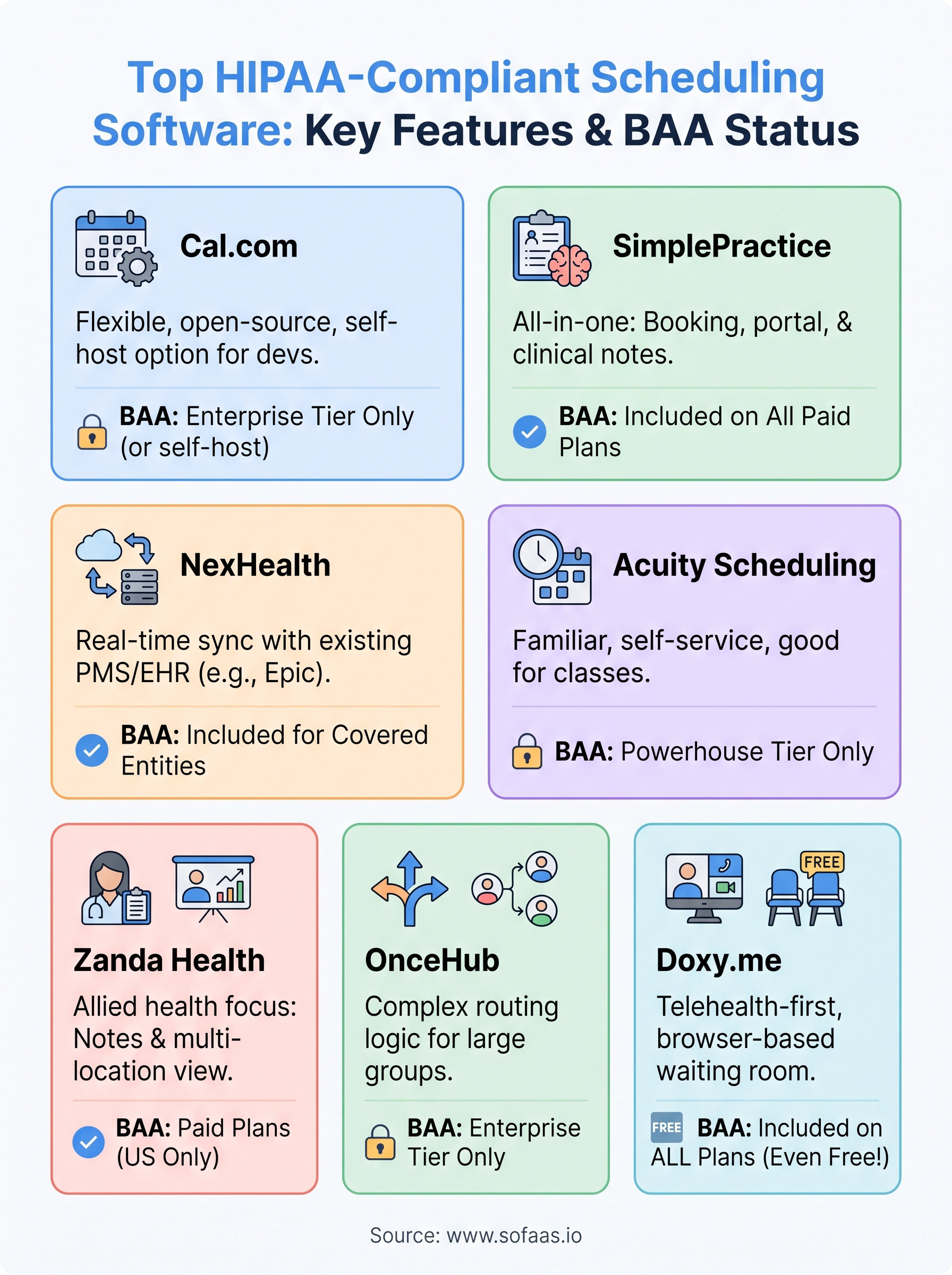
Picking hipaa compliant scheduling software comes down to matching the tool to your actual workflow, not the longest feature list. A solo therapist needs SimplePractice's bundled intake forms and notes. A multi-location dental group needs NexHealth's real-time PMS sync. A telehealth-only provider can run entirely on Doxy.me's free tier and never pay a dime for compliance. Whatever you pick, confirm the signed Business Associate Agreement covers your actual plan tier, not just the sales page.
Scheduling is only one piece of the puzzle, though. The same patient data flowing through your booking calendar usually needs to reach an EHR, a clinical app, or a patient portal, and that's where most healthcare teams get stuck rebuilding integrations from scratch. If you're already wiring scheduling into a larger product, skip the months of OAuth and compliance work and launch your SMART on FHIR app in a couple of steps with a platform built specifically for that job.
The Future of Patient Logistics
Exploring the future of all things related to patient logistics, technology and how AI is going to re-shape the way we deliver care.
Thank you! Your submission has been received!
Oops! Something went wrong while submitting the form.