Audit Logging Best Practices: Security, Compliance, Design

Every interaction with a healthcare system generates data, and every one of those interactions needs a paper trail. Audit logging best practices aren't just a checkbox for passing your next compliance review. They're the backbone of system security, incident response, and regulatory accountability, especially when your application touches protected health information (PHI) flowing between EHRs and third-party systems.
If you're building healthcare applications that integrate with Epic, Cerner, or Allscripts, you already know the stakes. HIPAA mandates audit controls. SOC 2 Type II demands evidence of them. And a single gap in your logging strategy can turn a minor incident into a reportable breach. At SoFaaS, we built audit logging directly into our managed SMART on FHIR platform because we've seen firsthand how much healthcare teams struggle to get this right from scratch, burning months on infrastructure that should be table stakes.
This guide breaks down how to design, implement, and maintain audit logs that actually hold up under scrutiny. We'll cover what to capture, how to store it, and where most teams fall short, so you can build logging into your application architecture with confidence, not guesswork. Whether you're starting from zero or tightening an existing implementation, these practices will help you meet compliance requirements and strengthen your security posture at the same time.
What audit logging is and what it is not
Before you can apply audit logging best practices, you need a clear picture of what audit logging actually does and what it is not designed to do. Many teams conflate it with other forms of system logging, and that confusion leads to gaps that only surface during an audit or a breach investigation, which is the worst possible time to discover them.
What audit logging actually is
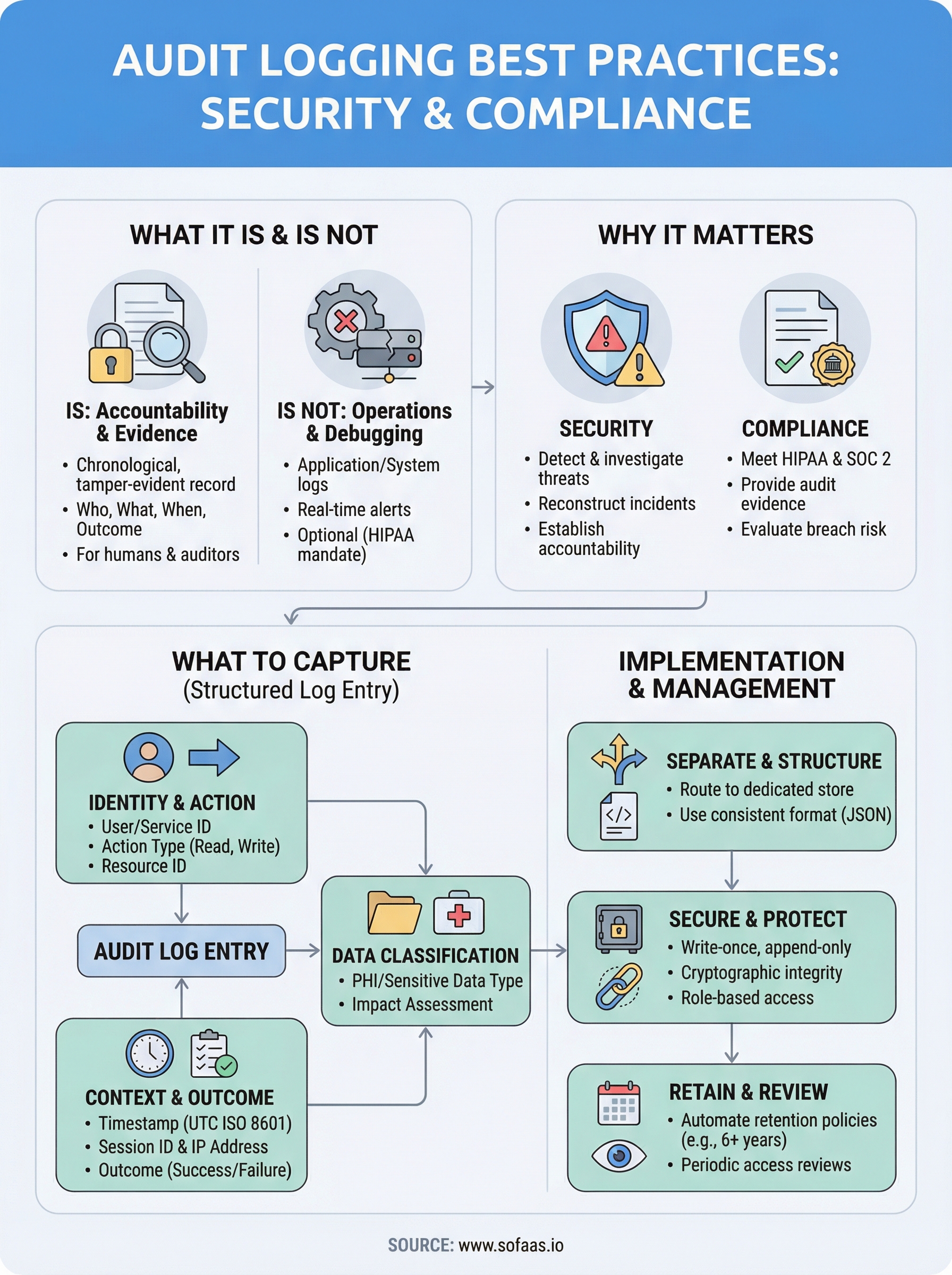
An audit log is a chronological, tamper-evident record of actions taken within a system, specifically tracking who did what, to which resource, at what time, and with what outcome. In a healthcare integration context, that means capturing every read, write, or deletion of patient data, every authentication event, every API call that touches PHI, and every change to access permissions or configuration. The record exists so that any future reviewer, whether that's your security team, a compliance officer, or a federal auditor, can reconstruct a complete and accurate sequence of events without relying on memory or inference.
An audit log answers the question "what happened and who is responsible?" not just "did the system run correctly?"
The key distinction is intent and structure. Audit logs are written for people and for accountability, not purely for machines. Each entry must be legible, attributable, and verifiable, which means it needs enough context to stand on its own when pulled out of a larger dataset months or years after the fact.
What audit logging is not
Audit logging is not the same as application logging or system event logging, even though all three often live on the same infrastructure. Application logs capture errors, performance metrics, and debugging output. They tell your engineers that a function threw an exception or that a query ran slowly. Those logs are valuable for operations, but they are not designed for compliance, and they typically do not carry the structured metadata, like user identity and resource identifiers, that accountability requires.
Audit logging is also not a real-time monitoring or alerting system. A security information and event management (SIEM) tool might consume your audit logs and trigger alerts based on patterns, but the audit log itself is a passive record. Its job is fidelity, capturing everything accurately, not responding to anything in real time.
Finally, audit logging is not optional when you handle protected health information under HIPAA. The HIPAA Security Rule under 45 CFR § 164.312(b) explicitly requires covered entities and their business associates to implement hardware, software, and procedural mechanisms that record and examine activity in systems containing PHI. That is a mandate, not a suggestion, and it applies directly to any application that integrates with an EHR through a standard like SMART on FHIR.
Understanding this boundary, between audit logs, application logs, and monitoring tools, lets you design each system for its actual purpose rather than expecting one to serve all three roles. When you conflate them, you either overload your audit log with noise or understaff it with missing context, and neither outcome survives regulatory scrutiny.
Why audit logging matters for security and compliance
Audit logs do two jobs simultaneously: they support your security operations and they satisfy your compliance obligations. Neither benefit is secondary. In healthcare IT, where a single misconfigured API call can expose thousands of patient records, your audit log is often the first place your team looks when something goes wrong and the first document a regulator requests when you're under review.
Security: detecting and investigating threats
When a security incident occurs, your ability to respond quickly depends entirely on the quality and completeness of your audit records. Without structured, timestamped entries tied to specific user identities and resource actions, your incident response team is essentially blind. They cannot determine whether a breach was isolated to one account or spread across multiple sessions, and they cannot confirm whether sensitive data was actually accessed or just queried.
Threat detection also improves when your audit logs feed into a SIEM or anomaly detection pipeline. Patterns like repeated failed authentication attempts, bulk record exports at unusual hours, or permission escalations before a data access event only become visible when your logs carry the right attributes consistently. Applying audit logging best practices from the start gives your security tools the structured input they need to surface real signals rather than noise.
The difference between a contained incident and a reportable breach often comes down to how fast you can answer "what data was accessed, by whom, and when."
Compliance: meeting HIPAA and SOC 2 requirements
HIPAA requires you to implement audit controls that record and examine access to systems containing PHI, as stated in 45 CFR § 164.312(b). That requirement applies to every business associate that touches patient data, which means any application integrating with an EHR through SMART on FHIR falls under its scope. Regulators do not accept vague assurances during an audit. They want log evidence you can produce on demand.
SOC 2 Type II adds another layer. Auditors evaluate whether your controls operated consistently over a defined period, typically six to twelve months. Your logs must prove that access was monitored, that anomalies were captured, and that your retention policies held. Without durable, well-structured records, your audit report will reflect the gaps.
What to capture in an audit log entry
Knowing what belongs in each log entry is where most implementations succeed or fall short. Following audit logging best practices means treating every entry as a self-contained record that can stand alone months from now, with enough structured context for an investigator to understand exactly what happened without chasing down additional sources. If your entries are missing key fields, you will not discover that gap during development. You will discover it during an audit.

Identity and action fields
Every audit log entry starts with the who and the what. At minimum, each record should include the authenticated user's identity, which must be a persistent non-repudiable identifier rather than a display name, the action they took (read, write, delete, update), and the specific resource they acted on, such as a patient record ID, an API endpoint, or a configuration object. Without these three elements, you cannot establish accountability, which is the entire point of the log.
A log entry that says "a record was accessed" without a user identifier or resource ID fails both compliance requirements and incident investigation.
Context and outcome fields
Timestamps, session identifiers, and IP addresses belong in every entry. Your timestamp must carry timezone information and use a consistent standard like UTC-based ISO 8601, so that entries across distributed systems sort correctly when you reconstruct a sequence of events. The session identifier ties related actions together, which helps you determine whether multiple accesses came from the same authenticated session or from separate ones.
Capturing the outcome of each action, whether success or failure, transforms your log from a passive activity record into a tool your security team can use for detection. A failed authentication attempt carries different weight than a successful one, and a denied data access attempt may signal a privilege escalation in progress.
Data classification fields
When your application handles PHI or other sensitive data categories, each entry should indicate the classification of the resource involved. This lets your compliance team quickly scope the impact of any incident and directly supports HIPAA breach risk assessments, which require you to evaluate what type of data was exposed before determining whether notification obligations apply.
How to implement audit logging in modern systems
Implementing audit logging in modern distributed systems requires more than dropping a logging library into your codebase. You need a structured approach that separates audit logic from application logic, routes records to a dedicated, write-protected store, and ensures that every service in your architecture contributes consistent, queryable entries from day one.
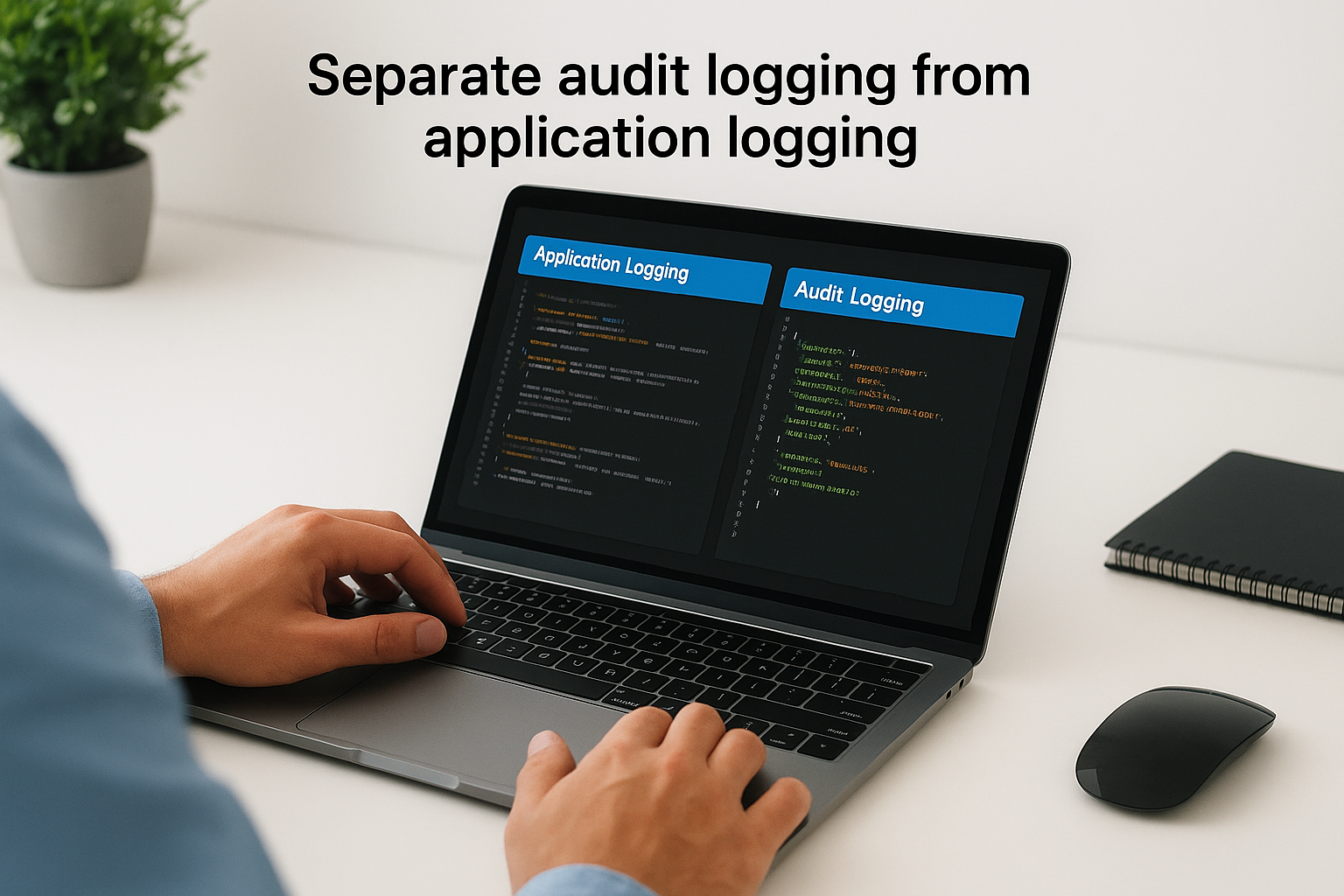
Separate audit logging from application logging
Your first implementation decision is also your most important: do not mix audit logs with application or debug logs. Application logs belong in your standard logging pipeline, where rotation policies and noise filters may discard entries that do not reflect errors or performance anomalies. Audit records must go to a separate, append-only destination where nothing is overwritten and every write is acknowledged before your application continues.
Most cloud providers offer purpose-built services for this. AWS CloudTrail and Azure Monitor both provide immutable, time-ordered log stores with built-in access controls and cross-region replication, which means you are not building tamper-resistance from scratch.
Routing audit records through your general logging pipeline is one of the most common mistakes teams make, and it is also one of the hardest to reverse after the fact.
Use structured log formats consistently
Every audit entry should be written in a structured format, preferably JSON, so that downstream tools including SIEMs, compliance dashboards, and query engines can parse and index entries without custom transformations. Raw string messages that embed context in free-form text break every analysis tool you will need later.
Defining a canonical event schema early and enforcing it across every service keeps your records consistent regardless of which service generated them. That schema should include the required fields covered in the previous section: user identity, action, resource, timestamp, session ID, outcome, and data classification. Enforcing the schema at the point of emission, rather than normalizing it later, is one of the most practical audit logging best practices you can adopt because it eliminates normalization debt before it compounds.
How to manage, secure, and retain audit logs
Generating accurate audit records is only half the work. If those records are mutable, under-retained, or poorly access-controlled, they will not hold up when you need them most. Applying audit logging best practices to your management and retention strategy is just as important as what you capture in the first place.
Protect logs from tampering
Your audit log store must be write-once and append-only, meaning no user or service account should have permission to modify or delete existing entries, including your own administrators. Implement role-based access controls that separate write access from read access, and limit read access to auditors, security personnel, and automated analysis tools rather than the application services that generate the records.
A log that your own systems can overwrite provides no reliable evidence during an incident investigation or regulatory review.
Enable cryptographic integrity verification where your storage platform supports it. Google Cloud Storage object holds and similar features on major cloud providers let you lock records for a defined period so that no administrative action can alter them before the retention window expires.
Define and enforce retention policies
Your retention period must align with your regulatory obligations, not just your storage budget. HIPAA requires covered entities to retain documentation of security policies and procedures for six years from creation or last effective date. Many organizations apply that same six-year floor to their PHI-related audit logs as a conservative baseline.
Define your retention windows in a written policy and automate enforcement through your storage platform's lifecycle management rules so that records age out on schedule rather than accumulating indefinitely or being deleted early. Both AWS S3 Lifecycle Policies and Azure Blob Storage lifecycle management support automated transitions to cold storage and scheduled deletions, which reduces cost without requiring manual intervention.
Periodic log reviews complete the cycle. Retention without review offers little compliance value. Schedule regular access reviews to confirm that your stored records are intact, that your schema has remained consistent, and that access to the log store itself has not drifted beyond your defined policy boundaries.
Final takeaways
Audit logging is not a feature you bolt on after launch. It is a foundational design decision that shapes how well your system survives security incidents, regulatory reviews, and breach investigations. The teams that handle PHI and EHR integrations get this right by treating every log entry as legal evidence, not just operational data, long before any auditor comes knocking.
Apply audit logging best practices from your first deployment. Separate your audit store from application logs, enforce a consistent schema, protect records from tampering, and set retention policies that match your compliance obligations. Each of those steps reduces your risk exposure and shortens your response time when something goes wrong.
Building this from scratch while also developing a healthcare application is a significant burden. Launch your SMART on FHIR app with built-in audit logging and skip the months of compliance infrastructure work that slows most healthcare teams down before they ever ship their first integration.
The Future of Patient Logistics
Exploring the future of all things related to patient logistics, technology and how AI is going to re-shape the way we deliver care.
Thank you! Your submission has been received!
Oops! Something went wrong while submitting the form.