List of FHIR Resources: Complete Directory by Category

FHIR (Fast Healthcare Interoperability Resources) organizes clinical and administrative healthcare data into discrete, standardized units called resources. Each resource represents a specific concept, a patient, a medication, a lab result, a claim, and together they form the building blocks of modern health data exchange. If you're building or integrating healthcare applications, having a solid grasp of the full list of FHIR resources is essential to understanding what data you can access and how it's structured across EHR systems.
But here's the thing: the FHIR specification defines well over 150 resource types, spread across multiple categories. Knowing which ones exist, and which ones matter for your use case, can save you weeks of trial and error during development. Whether you're pulling patient demographics, querying clinical observations, or managing authorization workflows, the resource you need already exists within the spec. You just have to know where to find it.
That's part of why we built SoFaaS™. Our platform handles the heavy lifting of SMART on FHIR integration, including mapping and routing data across these resource types when connecting your application to EHRs like Epic, Cerner, and Allscripts. But regardless of what tools you use, understanding FHIR's resource model is foundational knowledge. This guide provides a complete directory of FHIR resources organized by category, so you can quickly identify the ones relevant to your project and understand how the standard structures healthcare data from end to end.
Why a resource list matters in real integrations
When you start building a healthcare application, you're essentially making a series of decisions about which data to request and how to structure those requests. FHIR gives you a standardized way to do that, but only if you know which resources are available in the first place. Without a clear picture of the full list of FHIR resources, you end up guessing, which leads to incomplete implementations, missed data fields, and integration gaps that are expensive to fix later.
You can't query what you can't identify
Most developers new to FHIR start by pulling the resources they've heard of: Patient, Observation, and MedicationRequest. These cover a lot of ground, but they represent only a small fraction of the full specification. FHIR R4 defines over 150 resource types, and each one addresses a specific slice of healthcare data. If you don't know that a resource like CarePlan, Goal, or CoverageEligibilityRequest exists, you won't include it in your design, and your application will have gaps that only surface when clients start using it in a live environment.
Knowing your resource options before you write the first line of integration code is what separates an implementation that works in a demo from one that holds up in production.
Building your data model around a complete resource inventory also helps you communicate more clearly with EHR vendor teams. When you know exactly which resources your application needs to consume or write, you can have precise conversations about what the EHR exposes and what additional configuration it requires, rather than discovering missing pieces after go-live.
Resource mismatches cause real failures
One of the most common integration problems is requesting data in a format that doesn't match what the EHR actually returns. For example, a developer might expect patient allergy data to come through a custom field in the Patient resource, when FHIR actually uses AllergyIntolerance as a dedicated resource type. This kind of mismatch doesn't just produce an error, it produces silence. Your application simply doesn't receive the data it needs, and tracking down the root cause takes time you don't have.
Understanding the full resource taxonomy before you start building protects you from these silent failures. Each resource in FHIR exists because there was a clinical or administrative need that couldn't be served by another resource. Respecting those purpose-built boundaries in your design means your integration behaves the way the spec intended and the way EHR systems expect.
Planning ahead shortens your build cycle
Teams that map out their required FHIR resources before starting development move significantly faster than teams that discover resource gaps mid-build. When you know upfront that your billing workflow requires Claim, ClaimResponse, and Coverage, you can design your API calls, data schema, and error handling around those resources from day one. That avoids rework cycles where you have to retrofit new resource types into an architecture that wasn't originally built to accommodate them.
Spending time with a structured resource directory early in the project is a concrete way to reduce technical debt and give your team a shared reference point throughout the build.
How FHIR resources are categorized
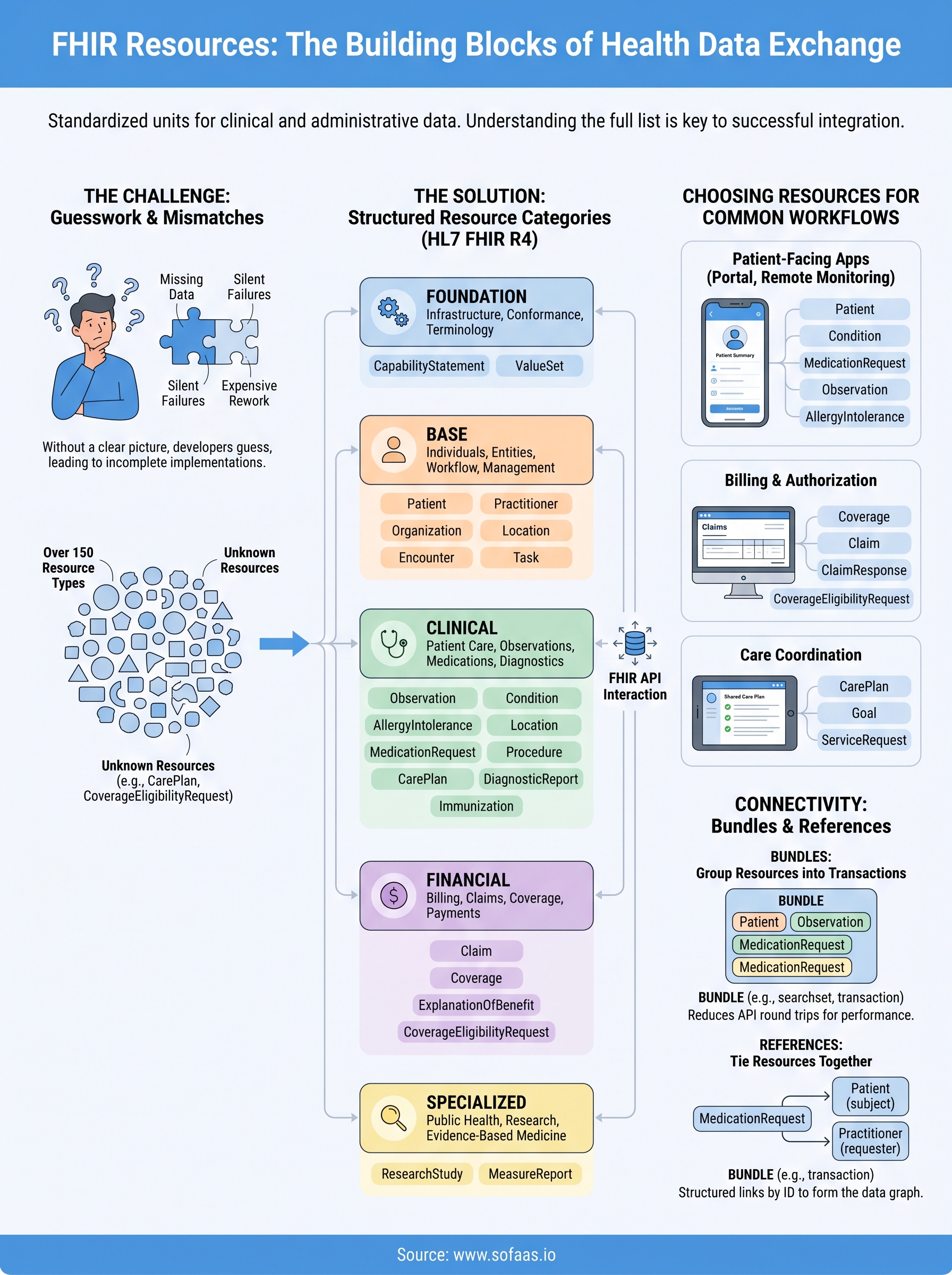
The HL7 FHIR specification doesn't drop 150+ resource types on you without structure. It organizes them into functional categories based on their primary purpose, whether that's clinical care, financial management, infrastructure, or something else. Understanding this categorization gives you a mental framework for navigating the full list of FHIR resources without getting overwhelmed. When you know which category a resource belongs to, you can quickly narrow down what's relevant for a given workflow instead of scanning through the entire spec.
The official FHIR category structure
HL7 groups FHIR R4 resources into five broad top-level categories: Foundation, Base, Clinical, Financial, and Specialized. These categories don't restrict how you use individual resources together; they simply reflect the primary domain each resource was designed to address. A resource from the Clinical category can, and often does, reference resources from the Base category within the same API interaction. The categorization is a navigation aid, not a strict boundary.
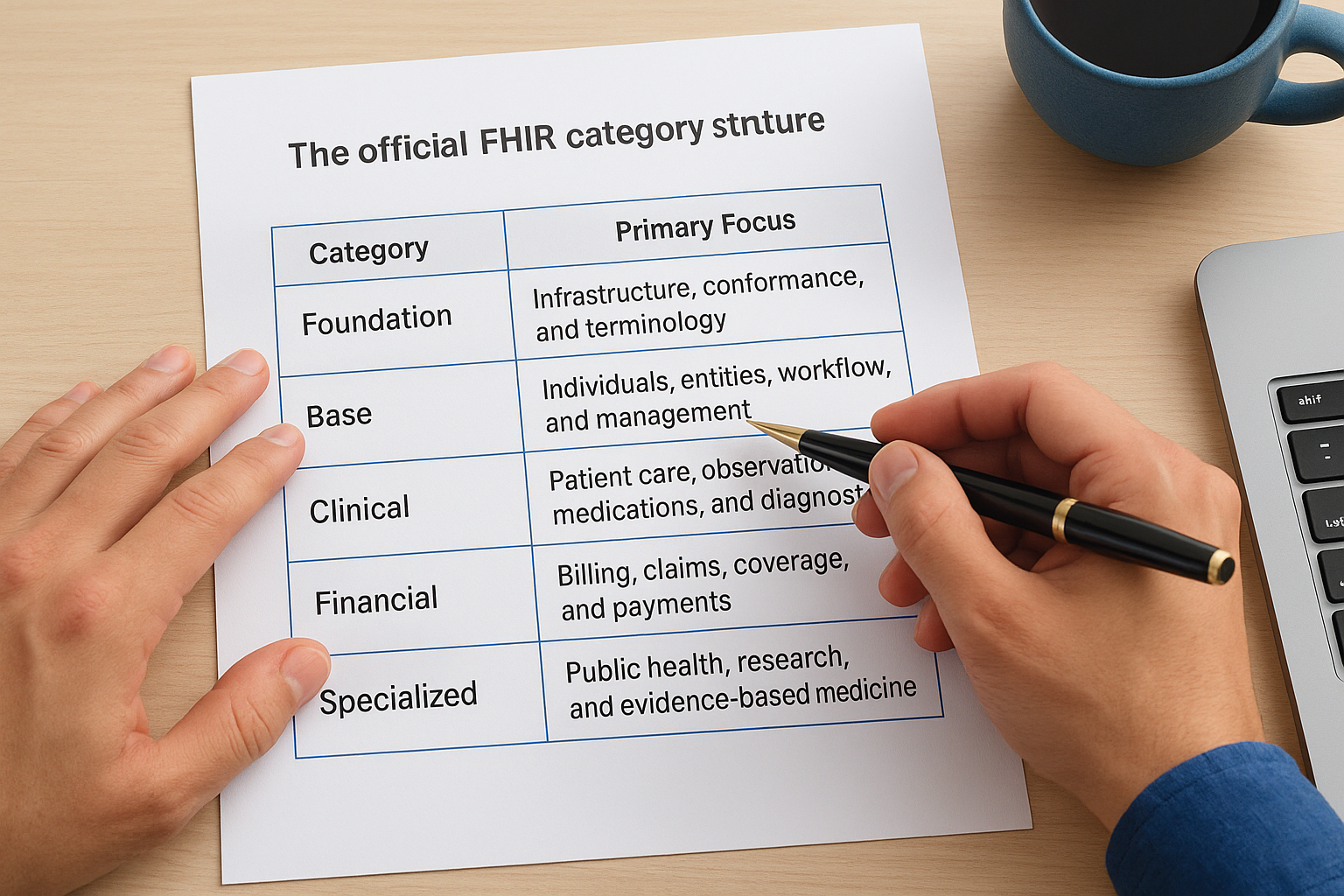
Here's a quick breakdown of what each top-level category covers:
| Category | Primary Focus |
|---|---|
| Foundation | Infrastructure, conformance, and terminology |
| Base | Individuals, entities, workflow, and management |
| Clinical | Patient care, observations, medications, and diagnostics |
| Financial | Billing, claims, coverage, and payments |
| Specialized | Public health, research, and evidence-based medicine |
What the category labels actually tell you
Knowing a resource's category tells you which part of the healthcare system it maps to and helps you anticipate what data it contains before you read the full specification. For example, resources in the Financial category deal with reimbursement and payer interactions, so if your application touches billing or eligibility, that's where you start. Resources in the Clinical category cover the day-to-day patient care data that clinicians document and act on.
Treating FHIR categories as a navigation tool rather than a rigid classification system will make your architecture decisions faster and more accurate.
Using these labels as a filtering mechanism saves you from reading through irrelevant resource definitions during the design phase, and it helps your team build a shared vocabulary around which parts of the spec your application actually depends on.
Directory of FHIR resources by category
The following directory organizes the most commonly used entries from the full list of FHIR resources into their respective categories. This isn't an exhaustive enumeration of all 150+ types, but it covers the resources you're most likely to encounter when building healthcare integrations, grouped so you can scan efficiently rather than reading through the entire specification.
Foundation and Base resources
Foundation resources handle conformance, terminology, and infrastructure. Base resources cover the core entities and workflow elements that nearly every healthcare application depends on, regardless of clinical focus.
| Resource | Category | Primary Use |
|---|---|---|
| CapabilityStatement | Foundation | Describes what a FHIR server supports |
| ValueSet | Foundation | Defines coded value sets |
| Patient | Base | Stores demographic data |
| Practitioner | Base | Represents clinicians |
| Organization | Base | Represents healthcare organizations |
| Location | Base | Physical or logical locations |
| Encounter | Base | Patient-provider interactions |
| Task | Base | Workflow action tracking |
Clinical resources
Clinical resources represent the data clinicians generate and consume during patient care. These are the resources you'll query most frequently when building care-focused or patient-facing applications.
| Resource | Category | Primary Use |
|---|---|---|
| Observation | Clinical | Lab results, vitals, measurements |
| Condition | Clinical | Diagnoses and health problems |
| AllergyIntolerance | Clinical | Allergy and adverse reaction records |
| MedicationRequest | Clinical | Prescriptions and medication orders |
| Procedure | Clinical | Clinical procedures performed |
| CarePlan | Clinical | Coordinated care plans |
| DiagnosticReport | Clinical | Structured diagnostic findings |
| Immunization | Clinical | Vaccination records |
Getting familiar with Clinical resources early in your project will prevent the most common integration blind spots.
Financial and Specialized resources
Financial resources handle billing, claims, and coverage verification, which is critical territory for any application that touches reimbursement workflows. Specialized resources support public health reporting and clinical research use cases that require purpose-built data structures beyond general clinical care.
| Resource | Category | Primary Use |
|---|---|---|
| Claim | Financial | Reimbursement requests to payers |
| Coverage | Financial | Patient insurance details |
| ExplanationOfBenefit | Financial | Payer adjudication results |
| ResearchStudy | Specialized | Clinical trial management |
| MeasureReport | Specialized | Quality measure reporting |
How to choose resources for common workflows
Scanning the full list of FHIR resources is useful orientation, but your real goal is identifying the specific subset your application actually needs. Most healthcare applications fall into a handful of recognizable workflow patterns, and each pattern maps to a predictable cluster of resources. Starting from those patterns, rather than from the full specification, is the fastest way to build a focused and maintainable integration.
Patient-facing and clinical summary applications
If you're building a patient portal, a remote monitoring tool, or any application that presents a longitudinal health summary, you'll center your design on a core set of Clinical and Base resources. Patient demographics, active conditions, current medications, and recent lab results form the baseline data model for nearly every consumer-facing healthcare product.
The resources you'll rely on most heavily include:
- Patient for demographics and contact information
- Condition for problem list entries and diagnoses
- MedicationRequest for active and historical prescriptions
- Observation for lab values and vital signs
- AllergyIntolerance for contraindication data
Mapping out this resource cluster before your first API call will prevent you from discovering missing data requirements after you've already shipped to users.
Billing and prior authorization workflows
Applications that touch reimbursement or payer interactions need to draw from the Financial category. Coverage verification, claims submission, and eligibility checks each rely on distinct resource types that sit outside the Clinical category entirely.
Your billing workflow will typically require Coverage to verify a patient's insurance, Claim to submit reimbursement requests, and ClaimResponse to process payer adjudication results. If your application handles prior authorization, add CoverageEligibilityRequest and CoverageEligibilityResponse to that set. These resources work together in sequence, so understanding how they relate before you build saves you significant rework.
Care coordination workflows
Care coordination applications generally need resources that represent plans and goals alongside the clinical data that informs them. The CarePlan, Goal, and ServiceRequest resources give you the structure to represent assigned care tasks, patient objectives, and referral workflows in a way that aligns with how clinical teams actually operate.
How resources connect in APIs and bundles
Individual FHIR resources are rarely used in complete isolation. When you query an EHR or send data to a FHIR server, you're almost always working with multiple resources at once, either linked through references or grouped inside a structure called a Bundle. Understanding how this connectivity works is just as important as knowing the full list of FHIR resources available to you, because the relationships between resources determine how you retrieve, assemble, and present healthcare data in your application.
Bundles group resources into a single transaction
A Bundle is a container resource that packages multiple resources together into one structured payload. FHIR defines several Bundle types, each serving a different purpose. A transaction Bundle lets you send multiple create or update operations to a server in a single HTTP request, while a searchset Bundle returns a collection of matching resources in response to a query.
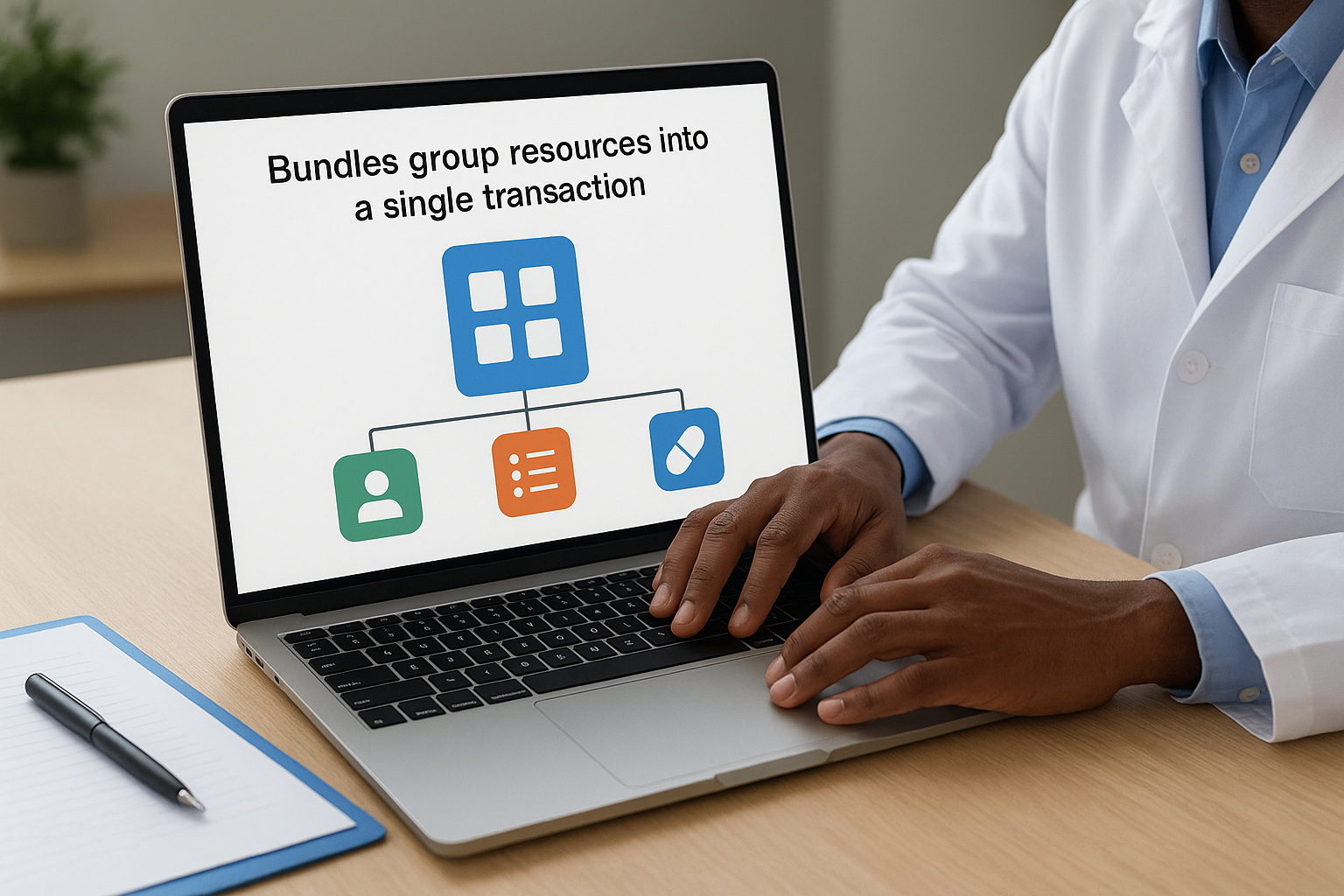
Using Bundles correctly reduces the number of API round trips your application needs, which directly improves performance and reliability in production environments.
When you retrieve a patient's chart, the server will often return a Bundle containing a Patient resource alongside related Observations, Conditions, and MedicationRequests, all in one response. Knowing how to parse and traverse that Bundle structure is a core implementation skill.
References tie individual resources together
FHIR resources connect to each other through structured reference fields that point from one resource to another by ID. A MedicationRequest references the Patient it belongs to and the Practitioner who authored it. A DiagnosticReport references the Observation resources that make up its findings. These references let you follow the data graph from any starting point to pull in related context without duplicating data across resources.
When you build your API calls, you can use the _include and _revinclude parameters to instruct the server to return referenced resources alongside the primary result, saving you from issuing separate queries for each relationship in the data model.
Where to go next
Working through the full list of FHIR resources gives you a real advantage when you sit down to design or extend a healthcare integration. You now know how resources are categorized, which ones map to common workflows, and how Bundles and references connect them into a coherent data model. That knowledge shortens your planning phase and reduces the back-and-forth with EHR vendor teams during implementation.
The harder part is putting that knowledge into production. Connecting your application to Epic, Cerner, or Allscripts involves OAuth flows, SMART launch sequences, and EHR-specific configurations that can add months to your timeline if you build them from scratch. SoFaaS handles that infrastructure for you, so your team can focus on the application logic rather than the plumbing. If you're ready to move from understanding the spec to actually shipping an integration, launch your SMART on FHIR app and see how fast the connection can go.
The Future of Patient Logistics
Exploring the future of all things related to patient logistics, technology and how AI is going to re-shape the way we deliver care.
Thank you! Your submission has been received!
Oops! Something went wrong while submitting the form.