Salesforce HIPAA BAA: Requirements, Setup, And Checklist

If your organization handles protected health information (PHI) in Salesforce, a Salesforce HIPAA BAA is non-negotiable. Without a signed Business Associate Agreement in place, you're exposed to regulatory penalties, even if your Salesforce instance is technically configured to safeguard patient data. The BAA is the legal foundation that defines Salesforce's obligations as a business associate under HIPAA, and getting it right matters before a single record touches the platform.
But signing the BAA is only step one. Salesforce doesn't become HIPAA-compliant out of the box. There are specific editions, configurations, and Shield features you'll need to enable, plus organizational policies your team must enforce. Many healthcare companies learn this the hard way, assuming the BAA alone covers them, only to discover gaps in encryption, access controls, or audit logging during an assessment.
At SoFaaS, we help healthcare innovators connect applications to EHRs through a managed, HIPAA-compliant integration platform. We understand the compliance burden firsthand because we built it into our infrastructure from day one. That perspective informs this guide, which breaks down exactly what you need to secure a Salesforce HIPAA BAA, how to configure your environment to meet HIPAA requirements, and a practical checklist to verify you haven't missed anything. Whether you're a health tech startup or an established organization expanding into Salesforce Health Cloud, this article gives you a clear path forward.
What a Salesforce HIPAA BAA is
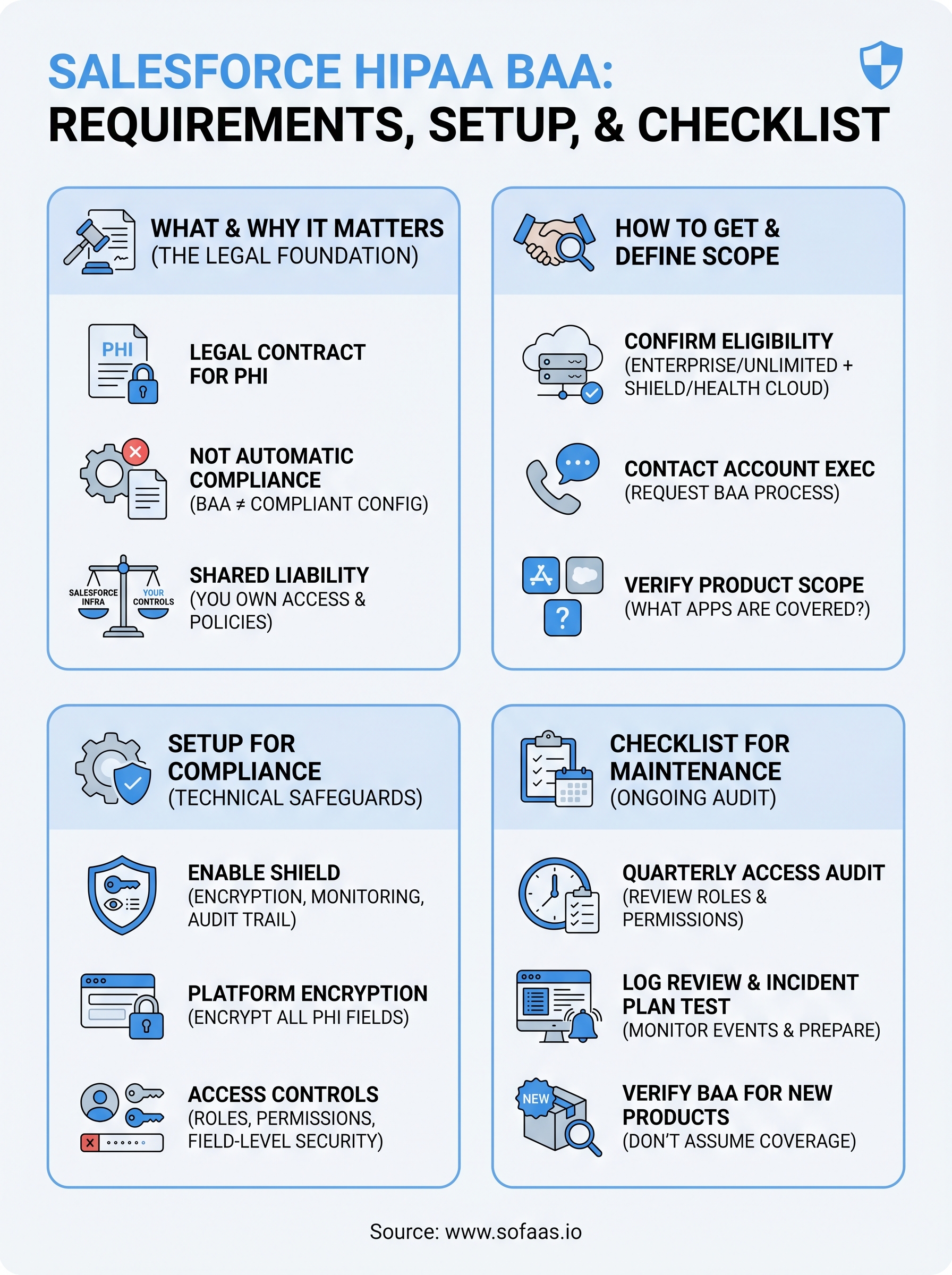
A Business Associate Agreement (BAA) is a legally binding contract that HIPAA requires whenever a covered entity shares protected health information (PHI) with a vendor or service provider that processes that data on its behalf. Salesforce, in most healthcare use cases, qualifies as a business associate because it stores, processes, or transmits PHI for your organization. A Salesforce HIPAA BAA is therefore the specific agreement you execute with Salesforce to define each party's legal responsibilities for protecting that data under federal law.
The Legal Foundation of a BAA
Under the HIPAA Privacy Rule and Security Rule, covered entities must have a signed BAA with every business associate before any PHI changes hands. The agreement must specify what PHI the business associate may use or disclose, how it must safeguard that data, and what steps each party must take in the event of a breach. Without this document in place, your organization is in violation of HIPAA regardless of how securely your Salesforce instance is technically configured.
A BAA does not make Salesforce HIPAA-compliant on its own. It establishes legal accountability, but the technical and administrative controls are still your responsibility to implement.
The agreement also outlines breach notification obligations, requiring Salesforce to report any security incident involving your PHI within a defined timeframe. This aligns with HIPAA's Breach Notification Rule, which requires covered entities to report breaches to affected individuals, the Department of Health and Human Services, and, in some cases, the media within 60 days of discovery.
What Salesforce Commits To in the BAA
When you sign the Salesforce BAA, Salesforce agrees to use appropriate safeguards to prevent unauthorized use or disclosure of your PHI. It commits to reporting security incidents to you, ensuring its own subcontractors also sign BAAs where relevant, and returning or destroying PHI at the termination of the service relationship. These commitments reflect the specific obligations that HIPAA places on all business associates.
Salesforce's BAA is tied to specific products and editions, not to the platform as a whole. You need to be running an eligible edition, typically Salesforce Enterprise, Unlimited, or Performance, and you may need to add Salesforce Shield or the Health Cloud product depending on how your application handles PHI. The BAA explicitly defines the scope of covered services, which is why you should read it carefully before signing and confirm which products fall within its boundaries.
What the BAA Does Not Cover
Signing a BAA with Salesforce does not automatically configure your environment for HIPAA compliance. The agreement shifts legal accountability for certain obligations to Salesforce, but your organization retains full responsibility for administrative, physical, and technical safeguards within the platform itself. That means role-based access controls, field-level encryption, audit logging, and session timeout configurations are all on your team to implement and maintain.
Your staff's behavior also sits entirely outside what the BAA governs. User access management, ongoing training on proper PHI handling, internal policies, and incident response procedures remain your obligations alone. The BAA draws a clear line around Salesforce's responsibilities, but everything inside your environment and your team's day-to-day actions belongs to you.
Why a Salesforce BAA matters for HIPAA
A Salesforce HIPAA BAA is not a formality you complete once and file away. It is the agreement that legally anchors your entire use of Salesforce in a HIPAA-regulated context. Without it, your organization is treating PHI on a platform that, from a regulatory standpoint, has no formal obligation to protect it. That exposure is real, and the penalties for violations under the HIPAA Enforcement Rule range from $100 to $50,000 per violation, depending on the level of negligence involved.
The Risk of Operating Without a BAA
Running any PHI through Salesforce without a signed BAA makes your organization directly liable for every unauthorized disclosure or breach that occurs, even if the breach originates on Salesforce's infrastructure. HIPAA does not excuse covered entities because a vendor failed to act correctly. You are responsible for ensuring every business associate you work with has a valid, signed agreement in place before any data flows.
Operating without a BAA is itself a HIPAA violation, separate from any underlying security incident that may occur.
The practical consequences extend beyond fines. A missing BAA discovered during an audit or following a breach triggers corrective action plans, mandatory HHS reporting, and in serious cases, criminal referrals. Healthcare organizations have faced multi-million dollar settlements over BAA failures alone, not because their systems were insecure, but because the paperwork was absent or incomplete.
How Liability Is Distributed Under HIPAA
HIPAA uses a shared responsibility model for covered entities and business associates. Once you sign the BAA, Salesforce takes on defined legal obligations for the infrastructure it controls, including its physical data centers, network security, and underlying platform services. Your organization retains responsibility for everything layered on top: user permissions, data entry practices, configuration choices, and internal policy enforcement.
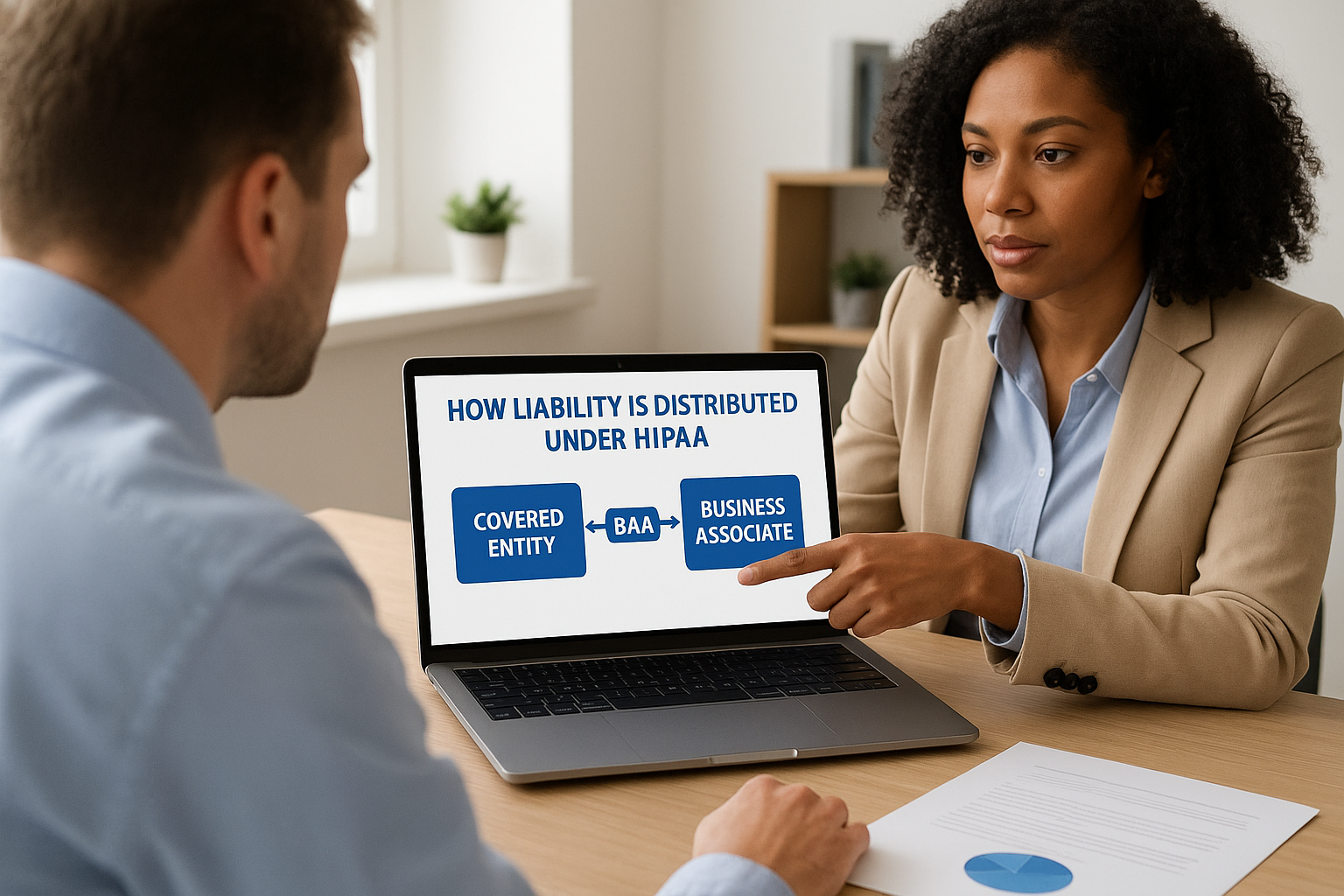
This distribution matters because it clarifies where you still carry risk even with a signed agreement. If a Salesforce employee mishandles your PHI, Salesforce bears liability under the BAA. If one of your administrators grants unnecessary access to patient records, that liability lands squarely on you. Understanding this boundary is what makes the BAA a meaningful compliance tool rather than a checkbox exercise.
How to get a Salesforce BAA and define scope
Getting a Salesforce HIPAA BAA requires more than clicking through a standard agreement. You need to confirm you're on an eligible product tier, initiate the request through the right channel, and carefully review which services fall within the BAA's scope before signing. Skipping any of these steps can leave portions of your PHI handling uncovered even after you have a signed document in hand.
Confirming Eligibility and Starting the Request
Salesforce does not offer a BAA on every product edition. You must be running Enterprise, Unlimited, or Performance edition at minimum, and in most healthcare use cases, you'll also need Health Cloud or Salesforce Shield to meet HIPAA's technical safeguard requirements. Before you contact Salesforce about a BAA, verify your current edition and confirm you have the right products active on your account.
To initiate the BAA, contact your Salesforce account executive directly. Salesforce does not offer a self-service BAA process for most organizations. Your account executive submits the request internally, and Salesforce's legal and compliance team issues the agreement. The timeline varies, but expect the process to take several business days to a few weeks depending on your contract tier and any negotiation involved.
Once you receive the draft BAA, review it line by line with your legal counsel before signing. Do not assume the standard terms cover every product or use case relevant to your environment.
Defining Which Products and Data Are in Scope
The scope section of your BAA is where most organizations run into trouble. Salesforce's agreement lists specific services covered by the BAA, and any product not named in that list is not subject to its HIPAA obligations. If you're using Salesforce Marketing Cloud, Slack, or third-party AppExchange applications, those may require separate BAAs or may not be available under a BAA at all.
Your next step is to map out every Salesforce product your team uses to handle or access PHI before you finalize the agreement. For each product, confirm its inclusion in the BAA explicitly. This mapping also becomes the foundation for your internal data governance policies, because any tool outside the BAA's scope should either be excluded from PHI contact or replaced with a covered alternative.
How to set up Salesforce for HIPAA compliance
Signing the salesforce hipaa baa gets you the legal coverage you need, but it does nothing to configure your actual environment. Before any PHI enters your Salesforce org, you need to activate the right features and lock down the platform at both the application and administrative levels. The steps below apply regardless of whether you're building on Health Cloud or using standard Salesforce objects to store clinical or patient-related data.
Enable Salesforce Shield and Platform Encryption
Salesforce Shield is the add-on product that provides the security capabilities HIPAA's technical safeguard requirements demand. It includes Platform Encryption, Event Monitoring, and Field Audit Trail, all of which you'll need to address encryption, logging, and data retention requirements under the HIPAA Security Rule. Without Shield, your out-of-the-box Salesforce instance lacks the encryption depth and audit granularity that HIPAA expects.
Once Shield is active, enable Platform Encryption on every field and file storage location that will contain PHI. This includes standard fields like name, date of birth, and contact information when used in a healthcare context, as well as any custom fields your team creates. Salesforce provides a Key Management Service where your organization controls the encryption keys, which keeps the data inaccessible to Salesforce employees and satisfies HIPAA's requirement for encryption of PHI at rest.
Encrypting only some fields while leaving others exposed is one of the most common and costly configuration mistakes organizations make during Salesforce HIPAA setup.
Configure Access Controls and Audit Logs
Role-based access control is your primary tool for limiting PHI exposure inside Salesforce. Set up profiles and permission sets so each user can access only the records and fields their role requires. Apply field-level security to restrict who can view sensitive PHI columns, and use sharing rules to control record-level visibility across your org.
Activate Event Monitoring through Salesforce Shield to capture a detailed log of every login, report export, API call, and data access event. Map your retention settings to HIPAA's six-year record retention requirement and route logs to a SIEM tool or secure storage location your security team monitors. These logs are not optional documentation; they are the audit trail you'll produce during a breach investigation or compliance assessment.
Checklist for maintaining HIPAA on Salesforce
Signing your salesforce hipaa baa and configuring Shield is the starting point, not the finish line. HIPAA compliance on Salesforce requires ongoing verification because configurations drift, users change roles, and new features get added to your org without always going through a compliance review. Use this checklist to audit your environment on a regular basis and catch gaps before they become findings.
Access and Encryption Controls
Your access configuration is the area most likely to degrade over time. Users get promoted, switch teams, or leave the organization, and permissions rarely get cleaned up as fast as they should. Review this checklist at least quarterly:
- Confirm Platform Encryption is active on all fields and file storage locations that touch PHI
- Verify that your encryption key management policy is documented and keys have not been left unrotated beyond your defined rotation schedule
- Audit every user profile and permission set to ensure access reflects current job roles, not historical ones
- Remove or deactivate accounts for any terminated employees or contractors immediately upon offboarding
- Check that field-level security blocks PHI columns from users who have no clinical or operational need to view them
- Confirm session timeout settings are configured to automatically log out inactive users within a defined window
Unchecked permission creep is one of the leading causes of internal data exposure in Salesforce environments handling PHI.
Audit and Incident Readiness
Event Monitoring logs only provide value if someone is actually reviewing them. Many organizations enable Shield, generate detailed logs, and never build a process around them. Set a recurring schedule to review login anomalies, large report exports, and API activity spikes, and document what you found each time.
Your incident response plan needs to reference Salesforce specifically, including how your team will preserve audit logs, notify Salesforce under the BAA's breach notification clause, and report to HHS within the required 60-day window. Test that plan at least once per year through a tabletop exercise. Beyond incident readiness, keep your BAA documentation current: if you add new Salesforce products to your org, confirm they fall within the agreement's scope or initiate an amendment before any PHI reaches those services.
Final takeaways
A salesforce hipaa baa gives you the legal framework you need, but it does not configure your environment, train your staff, or keep your access controls clean over time. The agreement is the foundation; everything built on top of it is still your responsibility. You need the right Salesforce edition, Shield enabled, encryption applied to every PHI field, and audit logs that someone actually reviews on a regular schedule. None of that happens automatically after you sign.
HIPAA compliance on Salesforce is an ongoing process, not a one-time project. Permission creep, scope gaps, and configuration drift are what turn a well-structured setup into a liability over time. Review your access controls quarterly, confirm your BAA covers every product you use, and test your incident response plan before you need it. If your work also involves connecting healthcare applications to EHRs, explore how SoFaaS handles HIPAA-compliant integration from day one.
The Future of Patient Logistics
Exploring the future of all things related to patient logistics, technology and how AI is going to re-shape the way we deliver care.
Thank you! Your submission has been received!
Oops! Something went wrong while submitting the form.