SMART On FHIR App Gallery: What It Is And How To Use It

If you're building a healthcare application that connects to EHRs, chances are you've come across the term SMART on FHIR app gallery. These galleries serve as centralized directories where hospitals, clinics, and health systems can browse and discover third-party apps that integrate with their electronic health records using the SMART on FHIR standard. For developers and health tech companies, getting listed in one can mean direct visibility with the decision-makers who approve and deploy new tools.
But here's where it gets tricky. Most galleries, whether hosted by Epic, Cerner, or another EHR vendor, require your app to meet specific technical and compliance requirements before you're even considered. You need a working SMART on FHIR integration, proper OAuth flows, HIPAA-compliant infrastructure, and often a completed security review. That's a significant barrier if you're a startup or mid-stage company trying to move quickly.
This is exactly the problem we built SoFaaS to solve. As a managed SMART on FHIR platform, SoFaaS handles the EHR integration layer, pre-built connectors, authorization management, and built-in compliance, so you can focus on building an app worthy of these galleries rather than spending months on infrastructure plumbing.
In this article, you'll learn what SMART on FHIR app galleries actually are, how they work across major EHR platforms, what it takes to get your app listed, and how to use them strategically, whether you're researching the market or preparing to launch your own healthcare application.
What the SMART on FHIR App Gallery includes
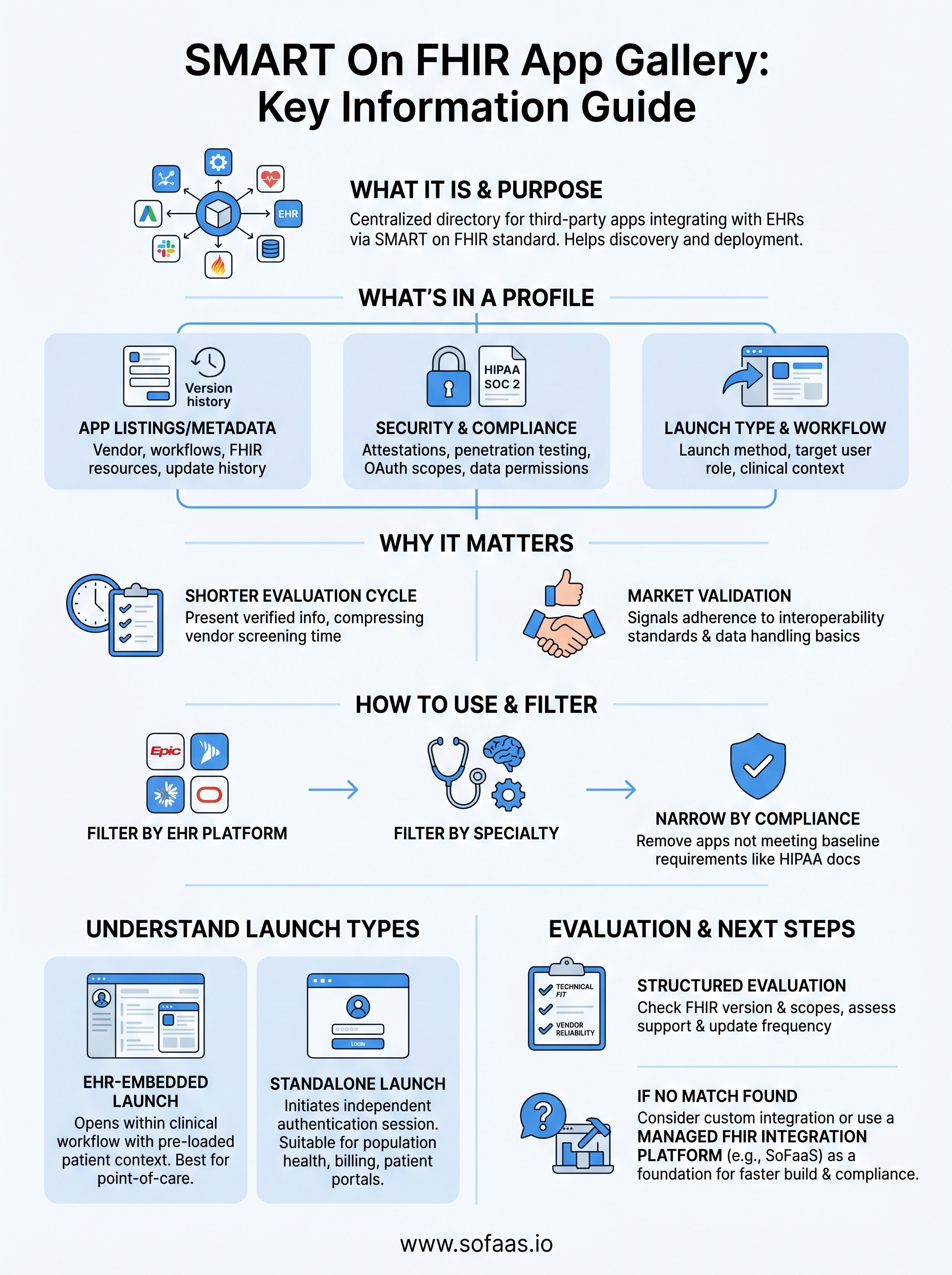
A SMART on FHIR app gallery is more than a simple list of software tools. Each entry functions as a structured profile that gives healthcare organizations the information they need to evaluate, approve, and deploy a third-party application within their EHR environment. Understanding what these profiles contain helps you both research existing apps and prepare your own listing effectively before you submit for review.
App listings and metadata
Every app entry starts with a standardized set of metadata that describes what the application does and who it's designed for. You'll typically find the app name, vendor information, a short description, supported clinical workflows, and the FHIR resource types the app reads or writes. This metadata is not marketing copy; it drives how administrators search and filter results when they're looking for tools to address a specific clinical or operational problem.
Most galleries also include version information and update history, which matters when a health system is evaluating whether an app actively receives maintenance and bug fixes. Outdated or unsupported apps introduce risk into a clinical environment, and gallery administrators use version data to flag or remove apps that no longer meet minimum standards. If your listing shows no updates in two years, reviewers will notice.
Security and compliance documentation
Beyond the app description, a gallery listing typically includes documentation that speaks directly to security posture and regulatory compliance. This section is where you'll find references to HIPAA Business Associate Agreements, SOC 2 Type II attestations, penetration testing results, and data encryption practices. Health systems require this documentation before any app touches protected health information (PHI).
Most health systems will not approve an app for deployment without verified compliance documentation attached directly to the gallery listing.
You'll also find details about OAuth scopes and data access permissions in this section. This tells administrators exactly what patient data the app requests and under what conditions. Overly broad permissions are a red flag, and reviewers routinely compare the requested scopes against the app's stated clinical purpose to verify they match. Keeping your scopes tight and well-documented significantly improves your approval rate.
Launch type and workflow context
Each listing also specifies how the app launches within the EHR environment. This is one of the most practical details in the entire profile. Some apps launch directly from within a clinical workflow, such as opening from inside a patient chart in Epic or Oracle Health. Others operate as standalone tools that authenticate against the EHR but run independently in a separate browser session or device.
The gallery entry also describes the target user role, whether that's a physician, nurse, administrator, or patient, and the specific clinical context where the app is intended to operate. A remote patient monitoring tool used by care coordinators has a very different workflow profile than a patient-facing scheduling app, and the gallery makes those distinctions explicit. Reviewing this context carefully saves you from deploying an app into a workflow it was never designed to support, which is one of the most common reasons new deployments stall after initial approval.
Why the SMART on FHIR App Gallery matters
A SMART on FHIR app gallery is not just a convenience feature for procurement teams. It functions as a trust infrastructure for the healthcare software market. Health systems operate under significant regulatory pressure and face real liability when they deploy tools that touch patient data. Galleries reduce that risk by requiring apps to meet defined technical and compliance standards before they ever appear on the list. When an app is listed, it signals to buyers that someone has already vetted the basics.
It shortens the vendor evaluation cycle for health systems
Evaluating healthcare software from scratch is time-consuming and expensive. A hospital IT team typically reviews security documentation, integration architecture, and clinical workflow fit before approving any new tool, and that process can stretch across months without a structured starting point. Galleries compress this cycle by presenting verified information in a standardized format, allowing decision-makers to compare options quickly rather than chasing documentation from individual vendors.
Health systems report that app galleries reduce initial vendor screening time by removing the need to request compliance documentation that should already exist.
For clinical administrators and IT directors, this matters because staff time spent on vendor evaluation is staff time not spent on patient care operations. A gallery entry that includes complete compliance records, clearly defined FHIR scopes, and accurate workflow descriptions moves your app much further through the internal approval process before you even get on a call with the buyer.
It validates your app's market position
Getting listed in a major gallery, whether through Epic's App Orchard or Oracle Health's marketplace, tells the market that your product meets baseline healthcare interoperability standards. This is valuable beyond the sales pipeline. It communicates to investors, partners, and potential customers that your team has solved the hard parts of healthcare data integration. Many health tech companies use gallery listings as concrete proof points during fundraising or enterprise contract negotiations, because listing requirements are publicly known and difficult to fake.
For developers still building toward their first listing, understanding why these galleries carry weight also clarifies what technical milestones actually matter. The requirements are not arbitrary; they reflect what buyers demand before they trust any application with protected health information.
How to browse and filter apps in the gallery
Browsing a SMART on FHIR app gallery is straightforward once you know what criteria to apply first. Most galleries offer multiple filter dimensions, and starting with the wrong one wastes time. Begin by identifying your primary constraint, which is usually the EHR system your organization runs or integrates with, and use that as your entry point before applying any other filters.
Filter by EHR platform and clinical specialty
Every major gallery organizes apps by the EHR systems they support, so your first filter should be the platform you're working with. Epic's App Orchard, for example, only lists apps that have completed Epic's review process, while Oracle Health's marketplace focuses on its own ecosystem. If you need an app that works across multiple EHR systems, you'll need to cross-reference listings from different galleries rather than relying on one source.
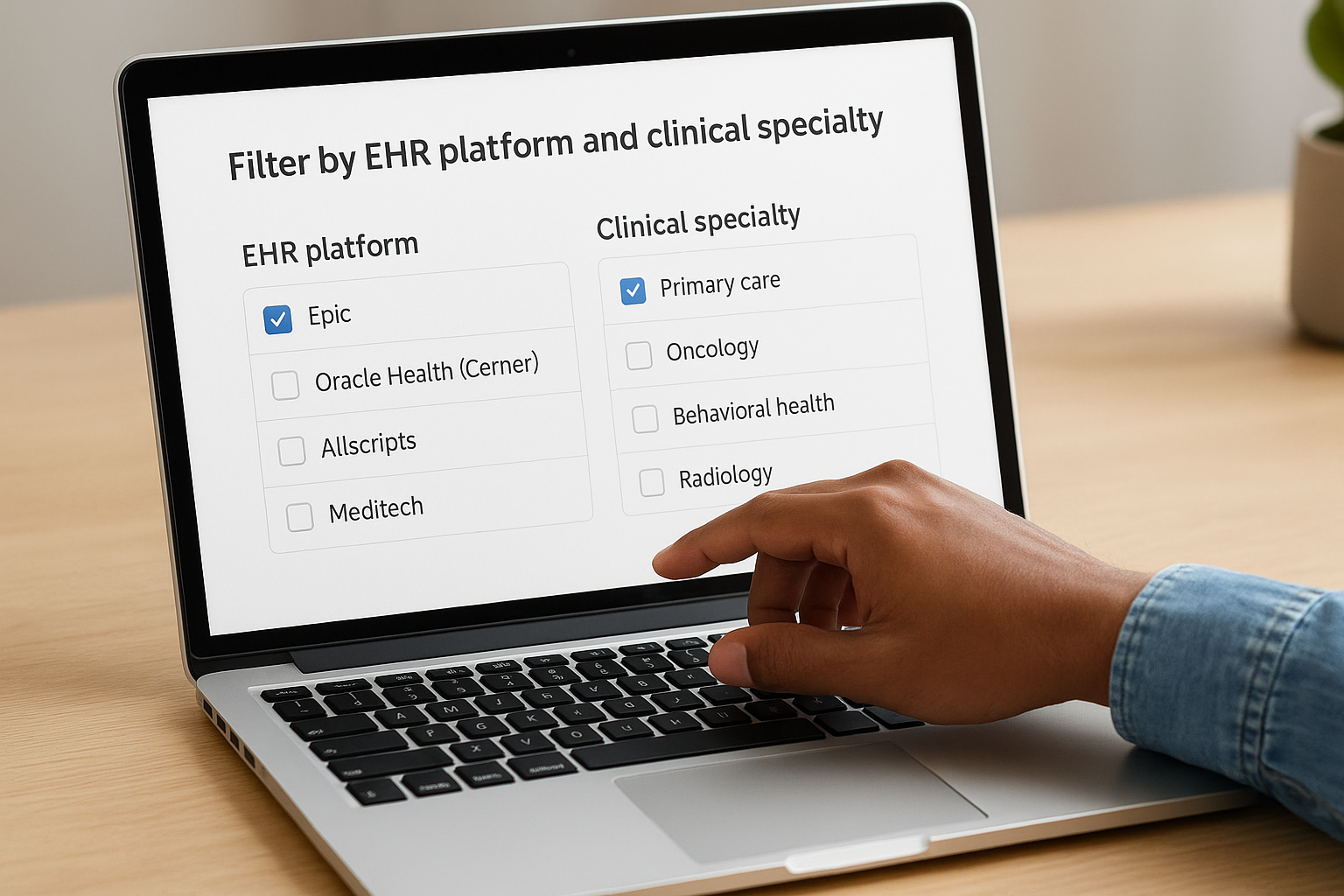
After filtering by EHR, narrow your results by clinical specialty or use case. Most galleries let you filter by categories like care management, revenue cycle, telehealth, or patient engagement. This step removes the bulk of irrelevant results quickly. Here are the most useful filter categories you'll find across major galleries:
- EHR platform: Epic, Oracle Health (Cerner), Allscripts, Meditech
- Clinical specialty: primary care, oncology, behavioral health, radiology
- User role: clinician, administrator, patient
- Launch type: EHR-embedded launch vs. standalone
Use compliance filters to narrow your shortlist
Once you have a manageable list of candidates, use compliance and security filters to remove apps that don't meet your organization's baseline requirements. Most galleries let you filter by HIPAA documentation status, SOC 2 attestation, and whether the vendor has signed a Business Associate Agreement template. Running these filters early prevents you from investing time in an app that will fail your security review anyway.
Applying compliance filters before reading individual app profiles cuts evaluation time significantly, because you eliminate non-compliant options before you ever open a listing.
After running these filters, you should have a short list of five to ten apps that match your EHR environment, use case, and compliance baseline. That's the right scope for a detailed side-by-side evaluation.
How to evaluate a SMART on FHIR app
Once you've built a shortlist from the smart on fhir app gallery, structured evaluation of each candidate is what separates a smooth deployment from an expensive rollback. Every app on your list cleared the compliance filters, so the questions you ask now need to go deeper than documentation checkboxes and focus on technical fit and vendor behavior under pressure.
Check technical fit against your FHIR version
Your EHR likely runs a specific FHIR version, either R4 or DSTU2, and any app you consider must match that version precisely. Review the FHIR resource types the app reads and writes, and compare them against the specific data your workflow requires. An app that supports Observation and MedicationRequest but not Encounter will not work for a care transitions use case, regardless of how polished the interface looks.
Confirming FHIR version compatibility before reading any other part of an app profile saves you from investing evaluation time in a technically incompatible tool.
You should also verify OAuth scope alignment at this stage. Compare the scopes the app requests against what your EHR administrators will approve. Broad scopes like patient/*.read are harder to get approved in large health systems, while narrowly scoped apps move through security review faster and signal that the vendor understands the principle of least-privilege access.
Assess the vendor's support and maintenance history
Technical fit tells you whether an app can work. Vendor reliability tells you whether it will keep working six months after you go live. Review the app's update frequency in the gallery listing to see how consistently the vendor ships changes and whether they respond to FHIR specification updates in a timely way.
Contact the vendor directly and ask specific questions about their support response times, escalation process for integration failures, and how they handle EHR platform upgrades. EHR vendors update their systems regularly, and an app that performed well on one version can break without warning on the next. Vendors who cannot give you a direct answer about their upgrade process represent a delivery risk you need to factor into your decision before signing anything.
Understand EHR launch vs standalone launch
When you browse a smart on fhir app gallery, one of the most consequential details in any listing is the launch type. This determines how your users interact with the app and how the application authenticates against the EHR. Choosing the wrong launch type for your workflow creates friction that no amount of good UX design will fix after deployment.
EHR-embedded launch
An EHR-embedded launch, often called a context launch, means the app opens directly from within the clinical workflow. A physician viewing a patient chart clicks a button, and the app opens with patient context already passed through, including the patient ID, encounter, and user role. The app receives this context automatically through the SMART launch sequence without requiring the clinician to re-enter any information.
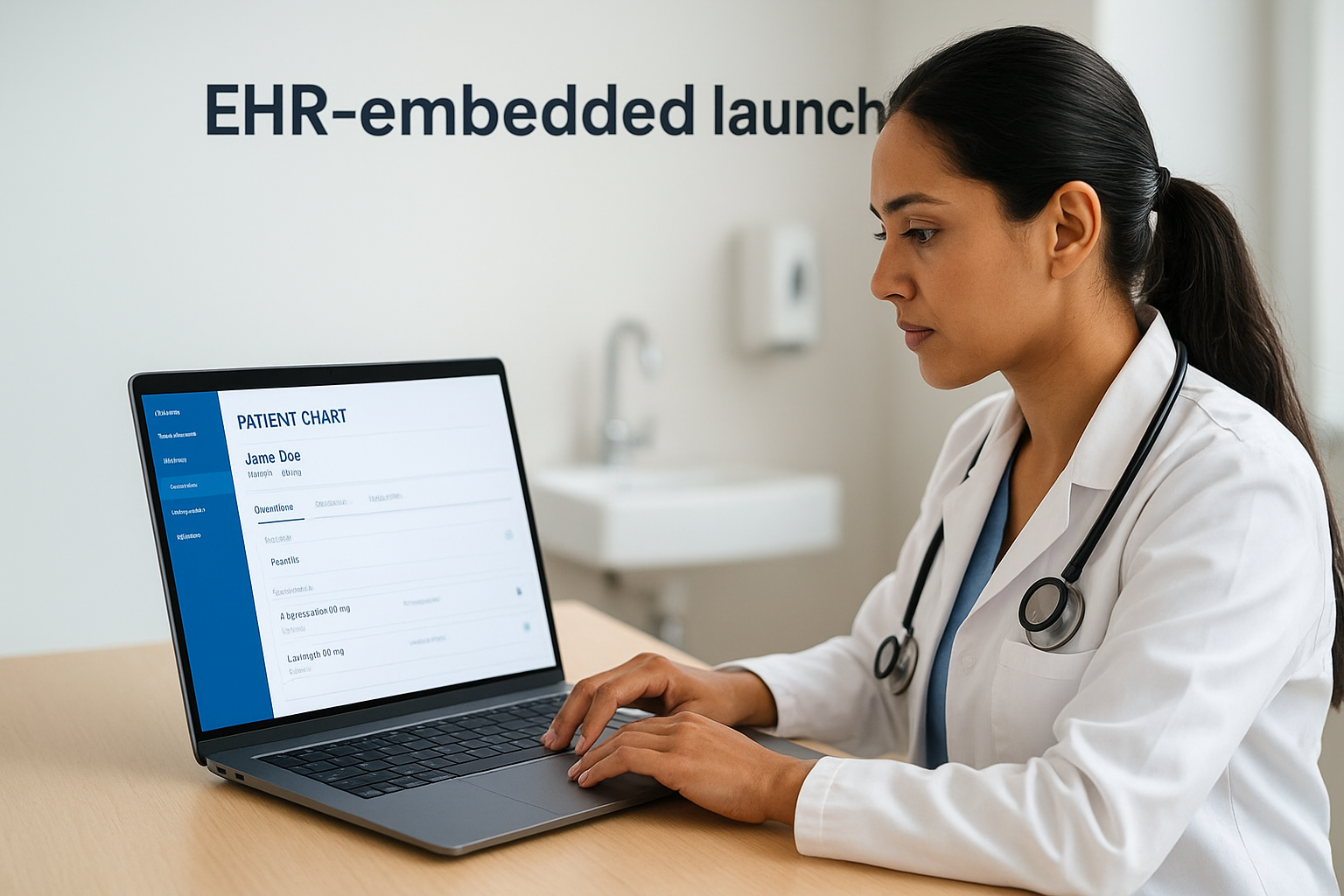
This launch type works best for apps that need to display or act on the specific patient a clinician is actively reviewing. Clinical decision support tools, medication review apps, and order entry assistants all benefit from EHR-embedded launches because they sit inside the workflow rather than interrupting it. The tradeoff is that configuring an embedded launch requires closer coordination with the EHR vendor, and your app must handle the context parameters the EHR passes reliably on every launch.
If your app is designed for point-of-care use during an active patient encounter, an EHR-embedded launch is almost always the right choice.
Standalone launch
A standalone launch means the app initiates its own authentication session independently of the EHR interface. The user opens the app directly, and the app redirects to the EHR's authorization server to request access. No patient context is pre-loaded; the app either asks the user to select a patient or pulls data in bulk using backend service credentials.
Standalone launches suit applications that operate outside the clinical encounter flow, such as population health dashboards, billing reconciliation tools, and patient-facing portals. These apps need EHR data but do not depend on a clinician actively working in a chart to trigger the session. When you evaluate any app listing, confirm that its stated launch type matches how your users will actually access it day to day, because a mismatch here consistently causes failed rollouts even when the underlying integration is technically sound.
What to do if you cannot find the right app
Searching a smart on fhir app gallery thoroughly and still coming up empty is more common than you might expect. The existing ecosystem covers many general use cases, but specialized workflows in areas like DME supply chain management, non-emergency medical transport, or home health coordination often have no ready-made solution. When that happens, you have two realistic paths: build a custom integration or find a managed platform that handles the integration layer so you can build on top of it without starting from zero.
If a gallery search produces no viable candidates, treat that gap as a market signal rather than a dead end.
Assess whether the gap is in the app or the integration
Before committing to a build decision, confirm exactly where the gap exists. Sometimes a listed app covers 80% of your use case but lacks one workflow component that is specific to your business model. In that case, contacting the vendor directly to discuss a custom implementation or API extension is faster than building from scratch. Vendors who already have a working FHIR integration are often open to scoping additional features for organizations that bring consistent volume or a clear enterprise contract.
Other times, the gap is real and the integration layer itself is the problem. Your workflow requires EHR data types or FHIR resources that no existing app exposes, or your compliance posture requires data handling controls that off-the-shelf tools do not support. That is when building becomes the right decision, but the build cost is heavily influenced by how much of the underlying infrastructure you need to construct yourself.
Use a managed FHIR integration platform as your foundation
Building a SMART on FHIR integration from scratch requires OAuth implementation, EHR-specific connector development, HIPAA-compliant data handling, and ongoing maintenance as EHR platforms update. That workload routinely takes development teams six to twelve months before the first production connection is live. A managed integration platform like SoFaaS gives you pre-built EHR connectors, a unified API, and built-in compliance infrastructure so your team focuses on the application logic that is specific to your workflow rather than rebuilding components that already exist. You get to market faster and avoid the recurring cost of maintaining integration infrastructure as EHR vendors release updates.
Next steps
Browsing a smart on fhir app gallery gives you a clear picture of what the healthcare app ecosystem currently offers and where genuine gaps exist. If you found an app that fits your workflow, the next move is completing your organization's security review process using the compliance documentation you pulled during evaluation. If you found no suitable match, that gap is your opportunity to build something the market needs.
Either way, the integration layer is the part that slows most teams down. SMART on FHIR authentication, EHR-specific connectors, and HIPAA-compliant data handling take months to build correctly from scratch. You do not have to carry that weight alone. SoFaaS provides a managed platform with pre-built connectors, a unified API, and built-in compliance infrastructure so your team can move from idea to production deployment in days rather than months. Launch your SMART on FHIR app and skip the infrastructure work entirely.
The Future of Patient Logistics
Exploring the future of all things related to patient logistics, technology and how AI is going to re-shape the way we deliver care.
Thank you! Your submission has been received!
Oops! Something went wrong while submitting the form.